WhatsApp chat export: phone vs WhatsApp Web vs PC
WhatsApp's own Export chat works in the Android and iPhone apps and in WhatsApp Web, and each saves the chat as a text file you can read but not restore. The phone is the only route that can add photos and other media. WhatsApp Web exports text only, as a ZIP, with an optional date range. On a Windows PC, WhatsApp's Help Center says Export chat isn't available in the desktop app, so a PC export goes through WhatsApp Web in a browser. WA Suite: Chat Export & Backup, a browser extension for WhatsApp Web, is for when you need more than a text file: CSV for Excel, JSON, an offline HTML page with search, or PDF on All tools.
Which route should you use?
- A plain text copy, with photos: the phone's Export chat, with media included.
- A plain text copy on a computer: WhatsApp Web's own Export chat. No extension is needed.
- A spreadsheet, a searchable page, or a file for a program: WA Suite: Chat Export & Backup on WhatsApp Web, in Chrome, Edge, or Firefox.
- A backup you can restore into WhatsApp: none of these. Every export here is a readable copy, not a WhatsApp backup.
WhatsApp's steps below are from its Help Center article "How to export your chat history" at faq.whatsapp.com, checked on 24 November 2026. WhatsApp can change them.
Export on Android
- Open the chat or group chat.
- Tap the menu (⋮), then More, then Export chat.
- Choose Without media or Include media.
- Pick where to send it, such as Quick Share, Gmail or Chat.
With Include media, WhatsApp adds the most recent media as attachments, not every photo in the chat.
Export on iPhone
- Open the chat or group chat.
- Tap the contact's or group's name, then Export chat.
- If the chat has media, choose With all media, With selected media… or Without media.
- Pick where to send it, such as Message, Save to Files or Notes.
The chat is saved as a ZIP file. View-once messages are not exported.
Export from WhatsApp Web
- Open web.whatsapp.com and open the chat.
- Open the chat's menu and click Export chat.
- Select All messages or Custom date range, then click Export.
You get a ZIP file. Media isn't included, unlike the phone apps, and view-once and disappearing messages are not exported.
What about the WhatsApp desktop app on PC?
On a Windows PC, WhatsApp's Help Center says chat export isn't available in the desktop app. To export on a PC, open the same chat in WhatsApp Web in your browser and use WhatsApp's Export chat there, or an extension that works in WhatsApp Web.
When an extension is worth it
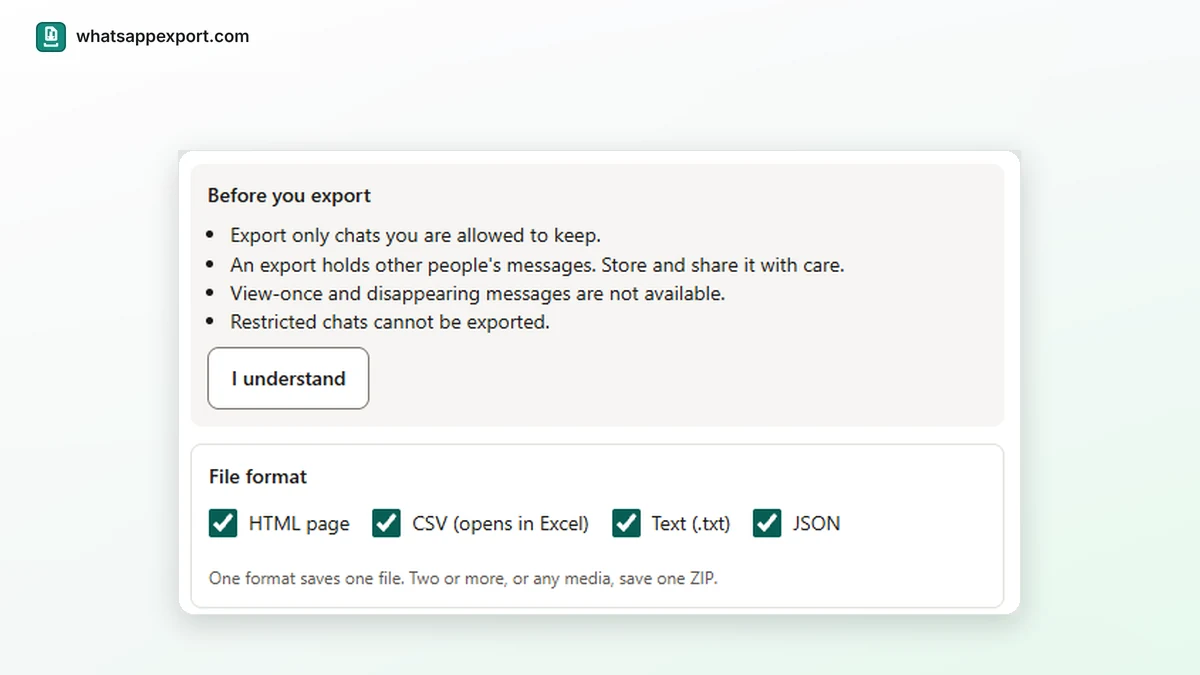
WhatsApp's export is one text file per chat. WA Suite: Chat Export & Backup works on the WhatsApp Web chat you open and saves the files you tick: an offline HTML page, CSV (opens in Excel), TXT, or JSON, with PDF on All tools. You can filter by dates or by one sender, and every export is kept in a library you can search, offline. It is on the Chrome Web Store, Microsoft Edge Add-ons, and Firefox Add-ons. The free plan has a daily message limit; compare Free and All tools.
The step-by-step is in how to export a WhatsApp chat on a PC. For a specific file, see WhatsApp chat to Excel, an offline HTML page or PDF. Photos and files are covered in exporting a chat with media, which is an All tools feature.
What every route can miss
- No export is a backup. WhatsApp says an exported chat can't be re-imported, and the same is true of the extension's files.
- View-once messages are not exported by WhatsApp, and WhatsApp Web also skips disappearing messages. The extension counts both in its report.
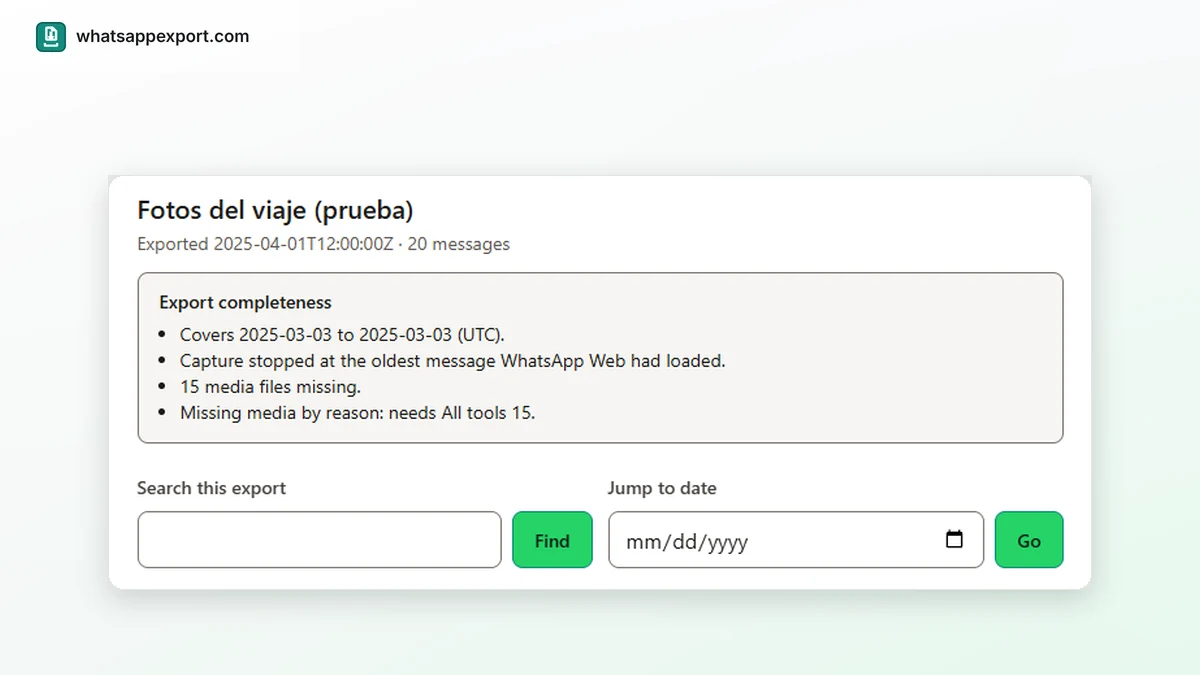
- WhatsApp Web may not load a chat's oldest messages. WhatsApp's Web export doesn't say where it stopped; the extension's files start with a completeness report that does.
Common questions
Can I export a WhatsApp chat with photos from WhatsApp Web?
Not with WhatsApp's own export: on WhatsApp Web it saves text only. The phone apps can include media. WA Suite: Chat Export & Backup saves photos and files from WhatsApp Web on All tools; see exporting a chat with media.
Is the phone export different from the WhatsApp Web export?
Yes. The phone apps can add media and send the file through an app you pick. WhatsApp Web saves a ZIP with the text only, and lets you choose all messages or a custom date range.
Can I export a chat from the WhatsApp app on Windows?
WhatsApp's Help Center says Export chat isn't available in the Windows app. Use WhatsApp Web in Chrome, Edge, or Firefox instead, with WhatsApp's own export or an extension.