How to export a WhatsApp chat to Excel
You can get a WhatsApp chat into Excel by exporting it from WhatsApp Web as a CSV file, which opens in Excel with one row per message. WA Suite: Chat Export & Backup saves that CSV on every plan, alone or with TXT, JSON, and HTML.
Can you export a WhatsApp chat to Excel?
Yes, as a CSV file. A chat export does not write .xlsx files; it writes a CSV, which Excel, Google Sheets, and other spreadsheets open. The free plan includes it: up to 30 messages a day, from any chat, each export keeping the chat's newest messages.
How to export a WhatsApp Web chat as CSV
- Open web.whatsapp.com in Chrome, Edge, or Firefox and open the chat.
- Click the extension in the browser's toolbar. Its popup (version 4.1.0 or later) opens on the Chats tab.
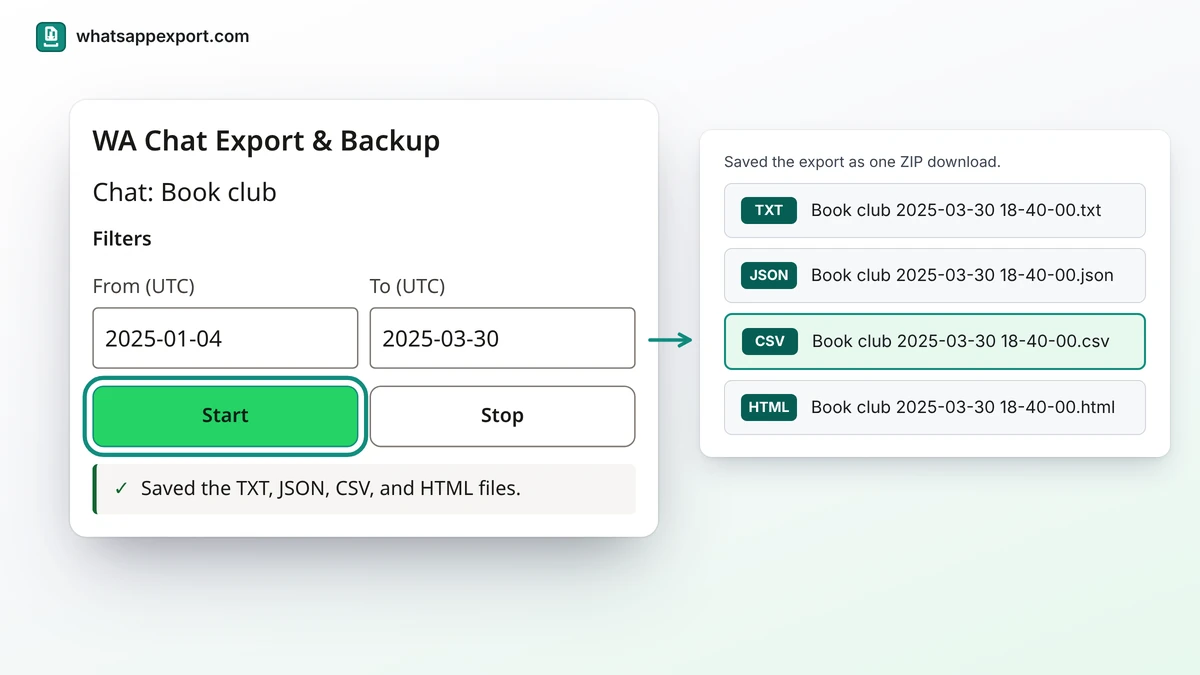
- Under File format, tick CSV (opens in Excel) (version 4.2.0 or later). Choose dates or a sender under Filters if you want only part of the chat, then press Start.
- Keep the WhatsApp Web tab open while the export runs.
- With only CSV ticked, the download is the
.csvfile itself. With other formats ticked too, open the saved ZIP: the.csvfile sits next to them.
Don't have it yet? Add to Chrome, it's free, Add to Edge, or Add to Firefox.
The PC guide has more on where the files go.
How to open the CSV in Excel (and keep accents and emoji)
Open the .csv file in Excel. The file starts with a byte-order mark, so Excel reads it as UTF-8 and keeps accents, other alphabets, and emoji.
The first rows are not messages. They hold the chat's name, the export time, the message count, and the completeness report: the dates covered, where the export stopped, and counts of what was not available. After a blank row come the column headers, then one row per message.
What columns does the CSV have?
The CSV has 18 columns, in this order:
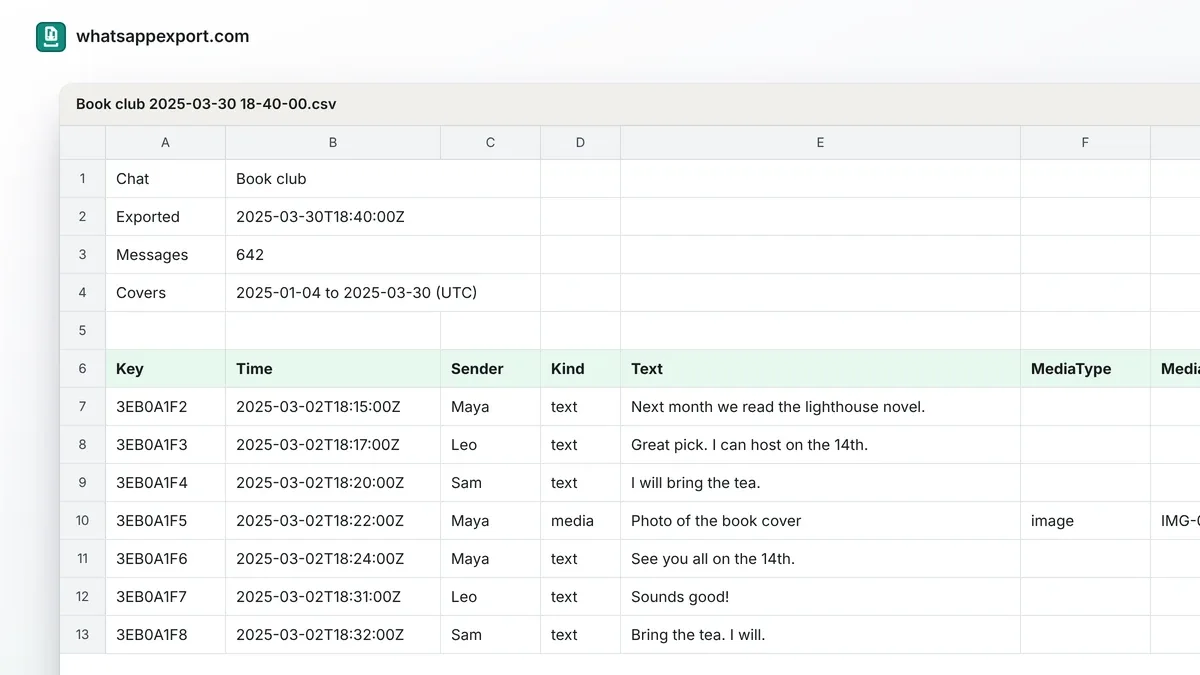
Key: the message's own identifier in the export.Time: when it was sent, in UTC, such as2026-03-01T14:05:00Z.Sender: the sender's name as WhatsApp Web shows it.Kind:text,media,system,deleted, orunavailable.Text: the message text, or a media item's caption.MediaType,MediaFile,MediaStatus,MediaPath,MediaSha256: the media item's type, file name,savedormissing, and, when saved, its path and SHA-256 hash.MissingReason: why a media item was not saved.UnavailableReason: why a message's content is not available.ReplyToKey,ReplyToSender,ReplyToText: the message it replies to.Reactions: each emoji and its count.Edited,Forwarded:trueorfalse.
The formats page describes the other files.
How to open it in Google Sheets
In Google Sheets, create a sheet, then choose File, Import, and upload the .csv file. The first rows are the export's report, as in Excel.
Why do some rows say "missing"?
A media row with missing in MediaStatus has its reason in MissingReason:
paid-only: saving media needs All tools. On the free plan every media item is listed this way.not-loaded: WhatsApp Web had not loaded the file.not-on-device: the file is not on this device.not-approved: its download was not approved for this export.expiredorfailed: the file expired, or saving it failed.
A message row with unavailable in Kind has its reason in UnavailableReason: view-once, disappearing, or not-loaded. See pricing for what All tools adds.
Common questions
Is it a real .xlsx file?
No. It's a CSV file with a byte-order mark, so Excel reads it as UTF-8. If you need an .xlsx file, open the CSV in Excel and use Excel's own Save As. A chat export doesn't write .xlsx files; only Contact Export does.
Can I export only some dates or one sender?
Yes. Choose dates or type a sender's name before you press Start. The sender's name is matched without regard to case or accents. The group chat guide shows this for groups.
Will formulas in messages run in Excel?
No. A cell that starts with =, +, - or @ gets a leading apostrophe, so the spreadsheet reads it as text.