How to export a WhatsApp group chat
Open the group in WhatsApp Web and export it with WA Suite: Chat Export & Backup: you get the messages WhatsApp Web loads as TXT, JSON, CSV, or an offline HTML page, the ones you tick, and you can limit the export to one sender or a date range. It exports messages, not the group's member list.
Can you export a WhatsApp group chat?
Yes. A group exports the same way as a chat with one person. Each message keeps its sender's name, so the CSV has a Sender column you can sort or filter in a spreadsheet. A chat export holds the messages and the sender name shown on each one. Contact Export (All tools) is separate: it can export the members of a group you pick.
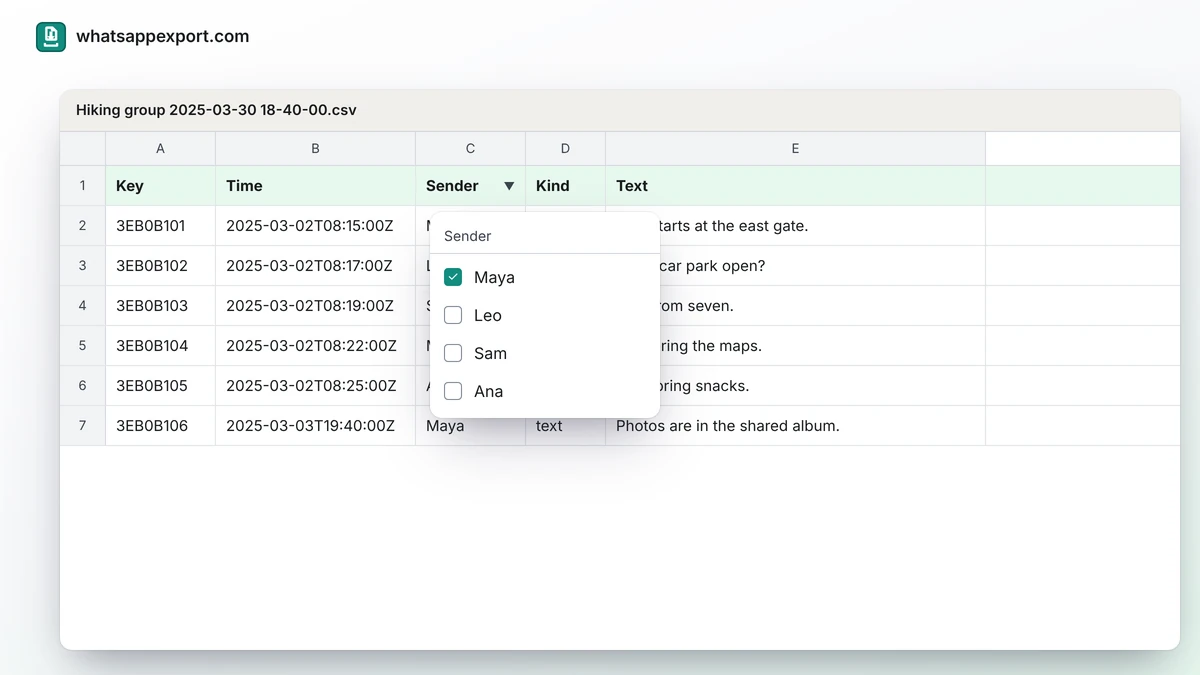
Steps to export a group from WhatsApp Web
- Open web.whatsapp.com in Chrome, Edge, or Firefox and open the group.
- Click the extension. Its popup (version 4.1.0 or later) opens on the Chats tab.
- The first time, read the notice and choose I understand.
- Choose dates or a sender if you want only part of the group, then press Start.
- Keep the WhatsApp Web tab open until the export is saved.
The PC guide covers where the files go, and the Excel guide covers opening the CSV. The help page's export steps cover the rest of the options.
Save a group chat with WA Suite: Chat Export & Backup, from the Chrome Web Store, Microsoft Edge Add-ons, or Firefox Add-ons; compare Free and All tools plans.
Export only one person's messages
Before you press Start, type the person's name in Sender name. The export then keeps only that sender's messages. The name is matched in full, without regard to case or accents. Leave it empty to keep every sender. You can also choose a date range, alone or with a sender.
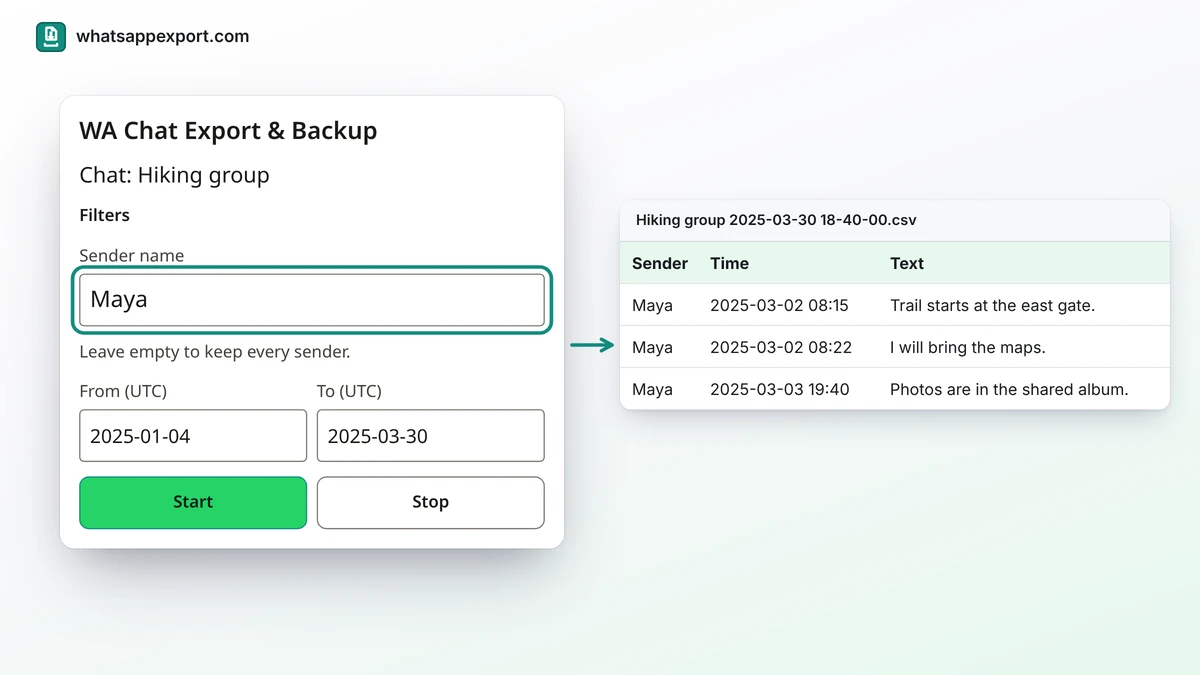
Group chats in other WhatsApp Web languages
The extension tells a group from a direct chat by a label in WhatsApp Web's header. If WhatsApp Web is in a display language this version doesn't read, the export can't tell which kind of chat it is: it stops with a message and saves no file. The messages themselves can be in any language.
Consent: export only chats you're allowed to keep
A group export holds other people's messages and names. Before the first export, the extension shows a notice: export only chats you are allowed to keep, and store and share the export with care.
Common questions
Can I export the group's members or phone numbers?
Not in a chat export: it holds the messages and the sender name shown on each one. Contact Export (All tools) can export the members of a group you pick, by the names WhatsApp Web shows. In this version members are saved by name only; a phone number is saved only for a one-to-one chat, and only when WhatsApp Web shows it.
Why did my group export stop with a message?
If the message says the export couldn't tell whether the chat is a group or a direct chat, WhatsApp Web is probably in a display language this version doesn't read. No file was saved. See export not working for other messages.