WhatsApp export chat not working: causes and fixes
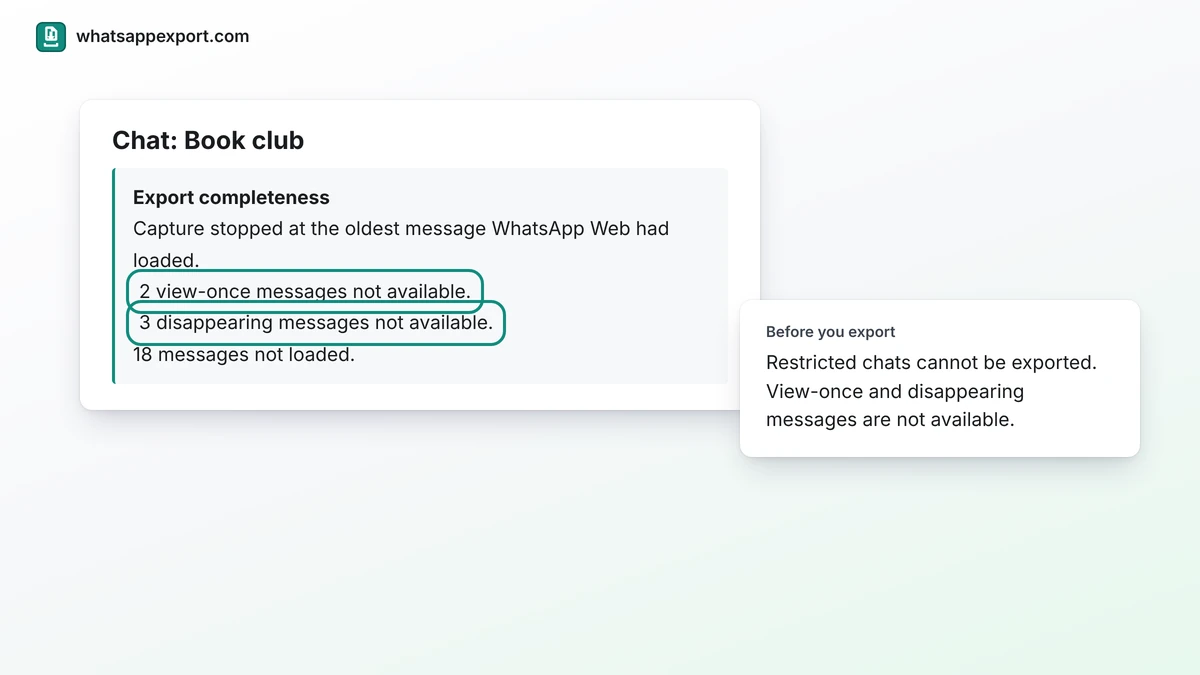
Some chats can't be exported at all, and some messages are never part of an export: WhatsApp's Help Center says restricted chats can't be exported, and that view-once and disappearing messages aren't exported. To export from a computer, a WhatsApp Web extension such as WA Suite: Chat Export & Backup saves the chat as TXT, JSON, CSV, and HTML, and says plainly when it stops or saves nothing.
Quick fixes for WA Suite: Chat Export & Backup:
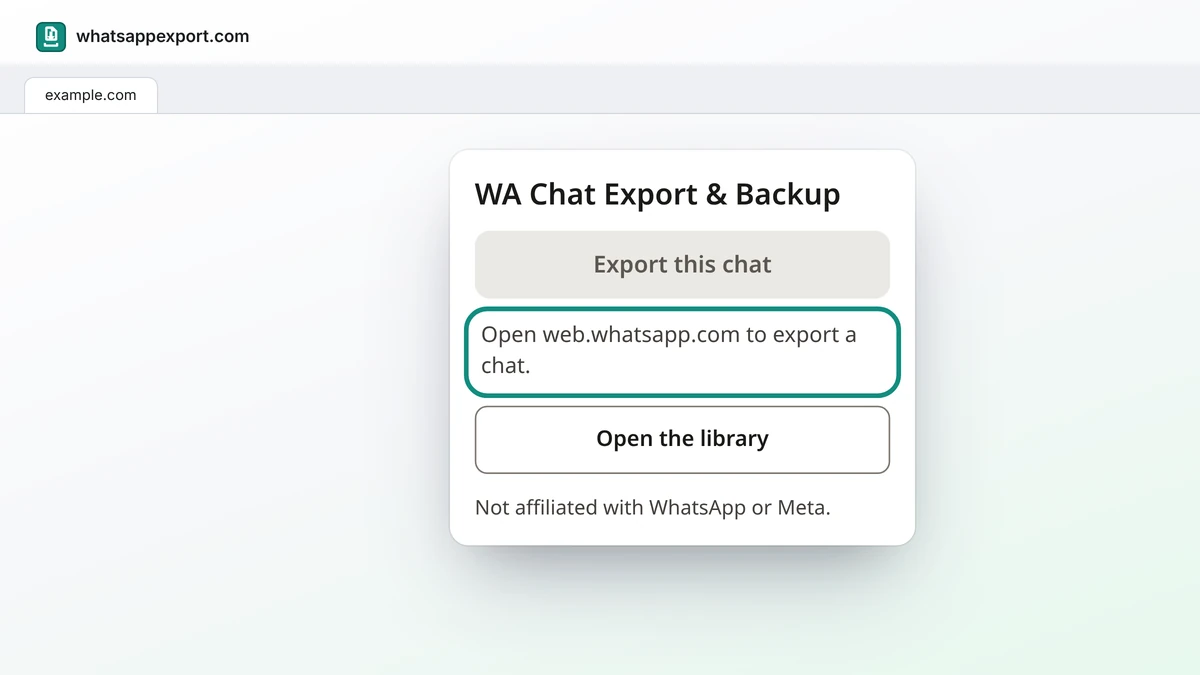
- It says to open web.whatsapp.com: the extension works only on web.whatsapp.com. Open it in Chrome, Edge, or Firefox 142 or later, open the chat, then click the extension again.
- "This WhatsApp tab can't be read yet": the tab is running from before the extension was installed or updated. Reload the WhatsApp Web tab once, then start again.
- "The WhatsApp tab closed or reloaded. No file was saved.": keep the WhatsApp Web tab open until the export is saved.
- "Could not reach the newest messages of this chat": scroll to the bottom of the chat in WhatsApp Web, wait for it to load, then press Start again.
- The export starts later than the chat: WhatsApp Web hadn't loaded the oldest messages. Keep your phone online with WhatsApp open while older messages load; each file says where the export stopped.
- Media is missing: the free plan saves no media, and on All tools only what the session can reach is saved. The missing-media report gives each item's reason.
Why can't a chat be exported?
- Restricted chats: a chat with restricted chat turned on can't be exported, by WhatsApp's own Export chat or by the extension.
- View-once and disappearing messages: these are not available. The extension counts them in each file's completeness report instead.
Exporting from WhatsApp Web instead
- Open web.whatsapp.com in Chrome, Edge, or Firefox 142 or later, and open the chat.
- Click the extension. Its popup (version 4.1.0 or later) opens on the Chats tab.
- Press Start, and keep the WhatsApp Web tab open until the export is saved.
The PC guide has every step. The extension exports the messages WhatsApp Web loads for the open chat, from the oldest one it loads to the newest, and each file says where the export stopped.
If the Chats tab says to open WhatsApp Web
Chats work only with a web.whatsapp.com tab. Clicked anywhere else, the popup's Chats tab says to open web.whatsapp.com to export a chat, with a button that opens it, and its Library tab still shows your saved chats.
If WA Suite: Chat Export & Backup stops or saves nothing
Each message on the Chats tab says what happened:
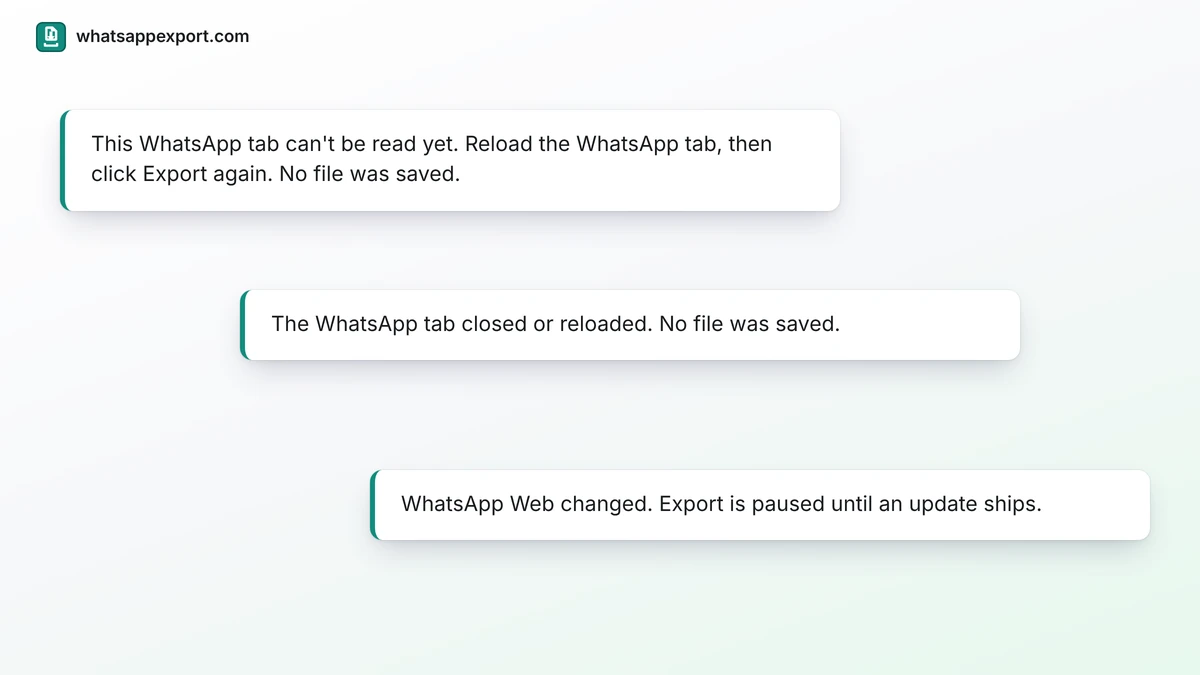
- This WhatsApp tab can't be read yet: reload the WhatsApp tab, then press Start again. This happens when the tab was open before the extension was updated.
- The WhatsApp tab closed or reloaded: no file was saved. Keep the tab open during the export. Pressing Stop saves what was read so far.
- Couldn't tell whether this chat is a group or a direct chat: WhatsApp Web is probably in a display language this version doesn't read. No file was saved.
- Could not reach the newest messages of this chat: scroll to the bottom of the chat in WhatsApp Web, wait for it to load, then press Start again.
- Your phone did not send older messages in time: older messages may be missing. Keep the phone online with WhatsApp open, then press Start again.
- You have used today's 30 free messages: the free plan exports 30 messages a day, and the count starts again at midnight, your local time. All tools has no message limit.
- Only the newest messages were exported: on the free plan, an export keeps the chat's newest messages, up to what is left of today's 30, and every file says how many it kept. All tools exports every message WhatsApp Web loads.
- Accept the notice above to start: the first time, read the notice and choose I understand; Start stays off until you do.
If export is paused
The extension reads WhatsApp Web's page, so a change there can break capture. The extension checks a signed status file on this site at most once a day. If that file pauses the extension's version, the Chats tab says WhatsApp Web changed and export is paused until an update ships. The help page explains the status file.
Still stuck? Add to Chrome, Add to Edge, or Add to Firefox and try again, or read what the free plan covers on pricing.
Common questions
Why did the export pause?
A signed status file can pause export after WhatsApp Web changes, until an update ships. If the file can't be checked, export stays on, unless an earlier good copy already paused this version.
Can the extension export restricted chats?
No. Restricted chats can't be exported.
Why does my export start later than the chat did?
WhatsApp Web may not load a chat's oldest messages. The export holds what WhatsApp Web loaded, and the report in each file says where it stopped.